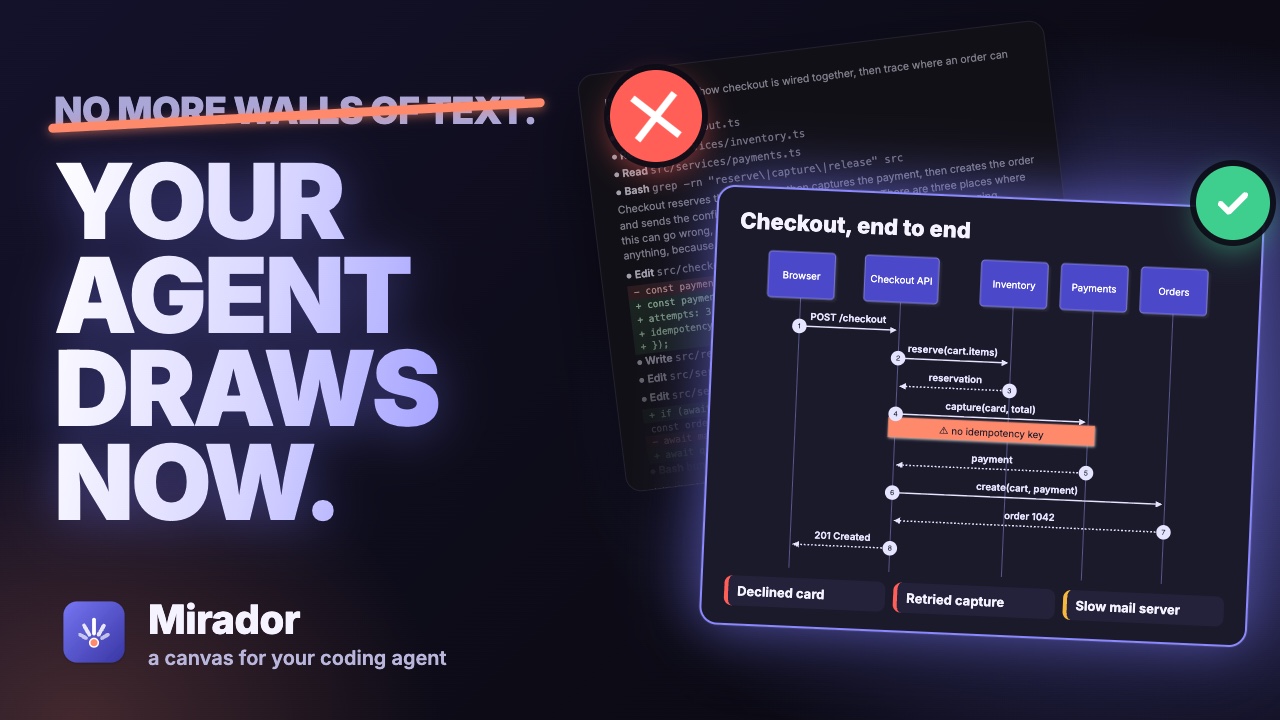
Mirador gives your coding agent a canvas beside the conversation. It draws what it means, asks you with pictures, and walks you through its changes and reviews, so you understand them at a glance.
curl -fsSL https://github.com/sodre90/mirador/releases/latest/download/install.sh | sh
Writing code is no longer the slow part. Reading it is.
In a few minutes an agent reads a codebase, changes ten files and explains what it did in a long stream of text, all in one font, at the speed it types. People understand pictures far faster than text: a sequence diagram explains a request path at a glance, where the same in prose takes a page. Mirador keeps the agent you already use, with your own settings, and gives it a place to show you.
Show
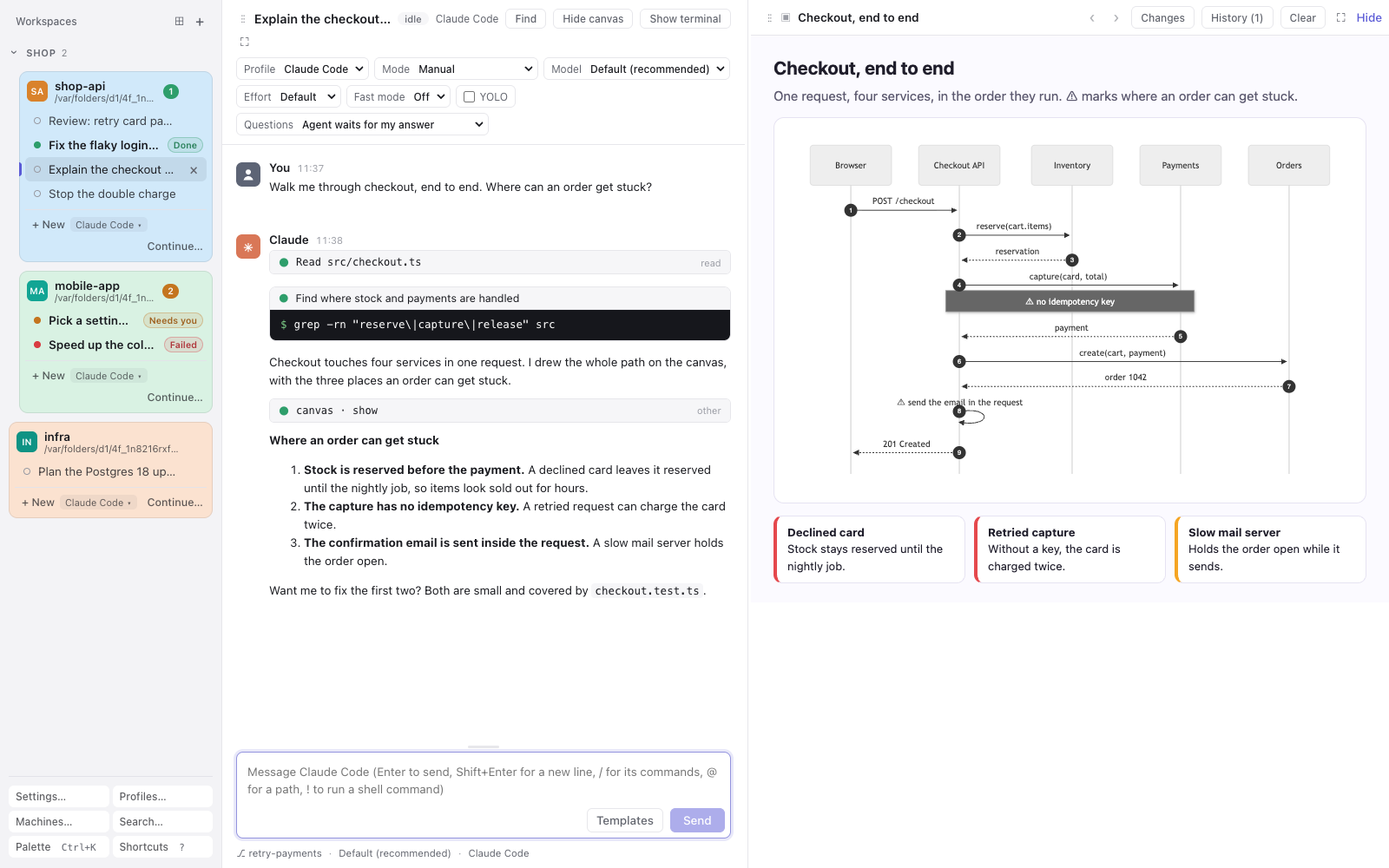
Your agent draws what it means.
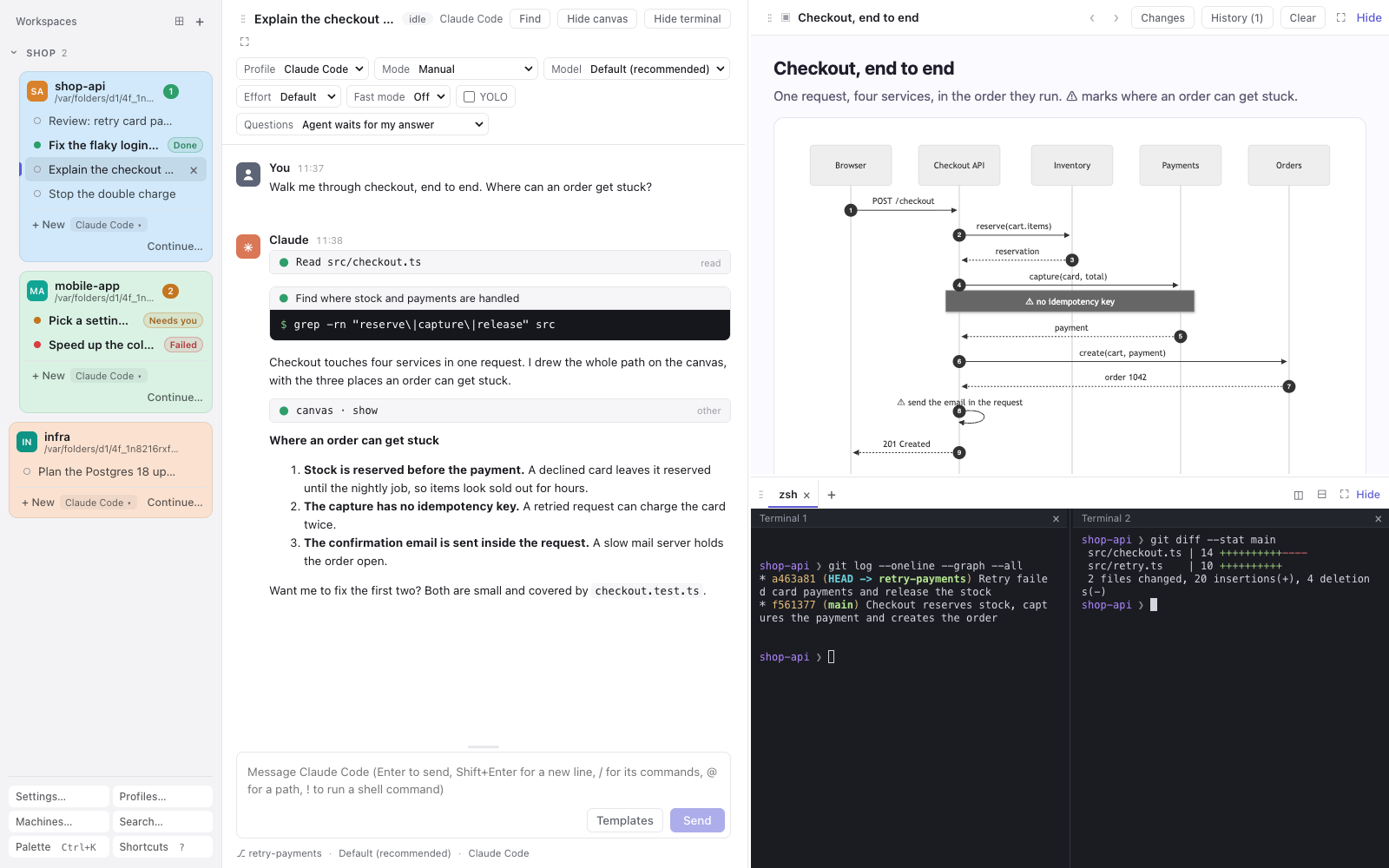
Diagrams, mockups, charts, comparisons, even 3D scenes, on a canvas next to the chat instead of a page of prose. Mermaid, D3 and three.js are built in and work offline. When a page has a script error, the agent hears about it and fixes it.
Ask
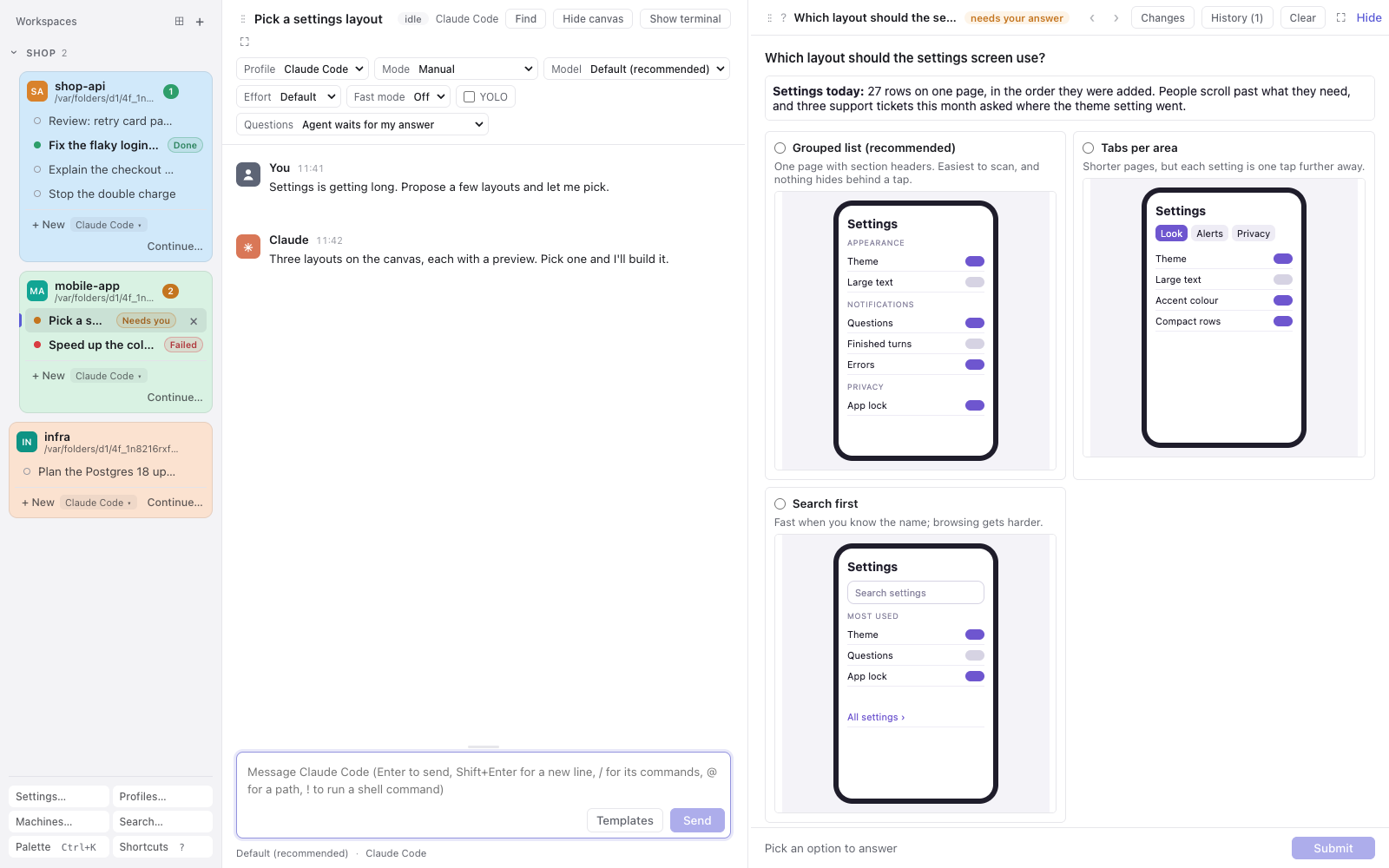
Decisions come with pictures.
Instead of a numbered list in text, the agent asks on the canvas: up to eight options, each with a preview. Click one, or type your own answer and add a note. Several questions come at once, a page each, with a review before you send.
Tour
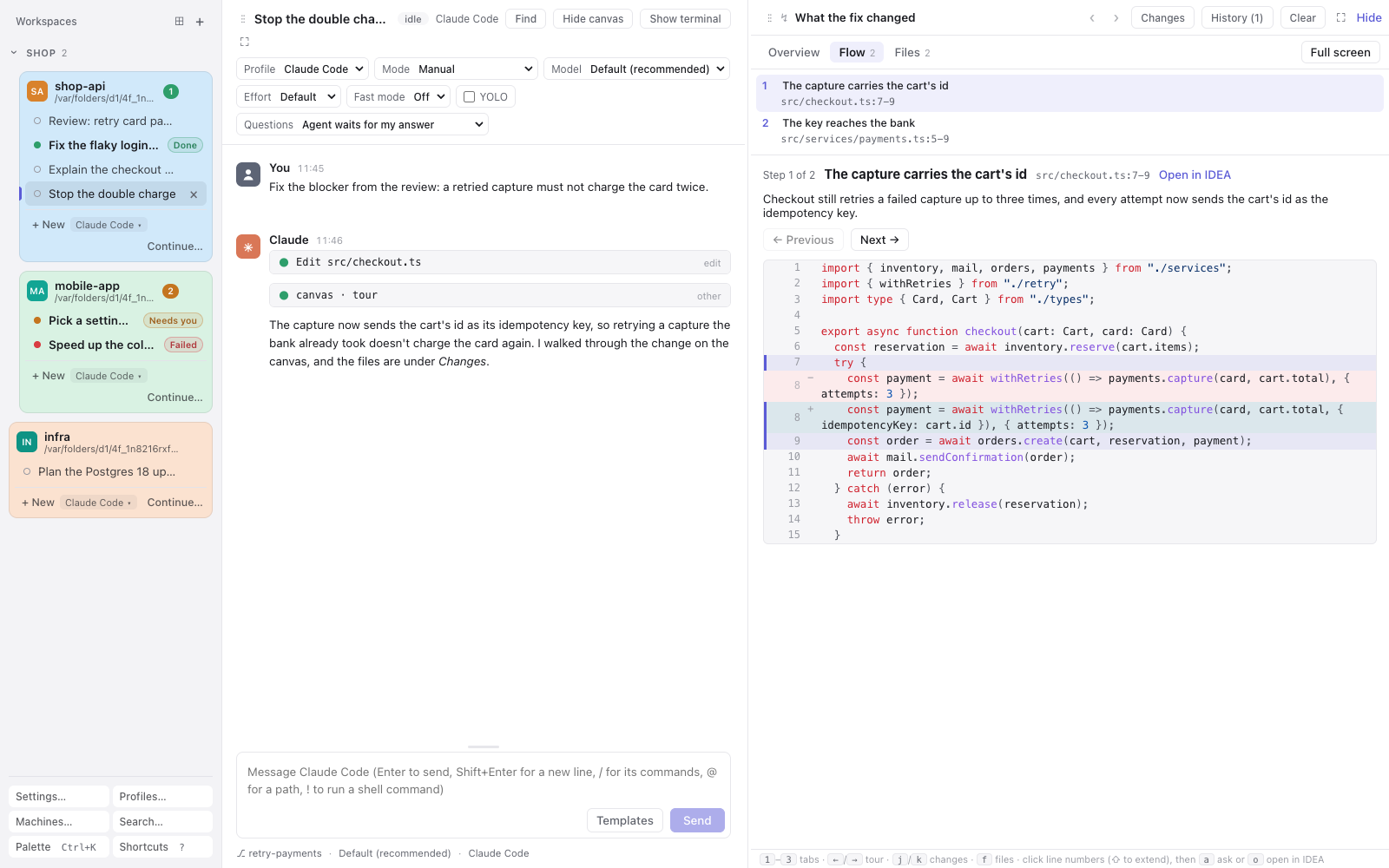
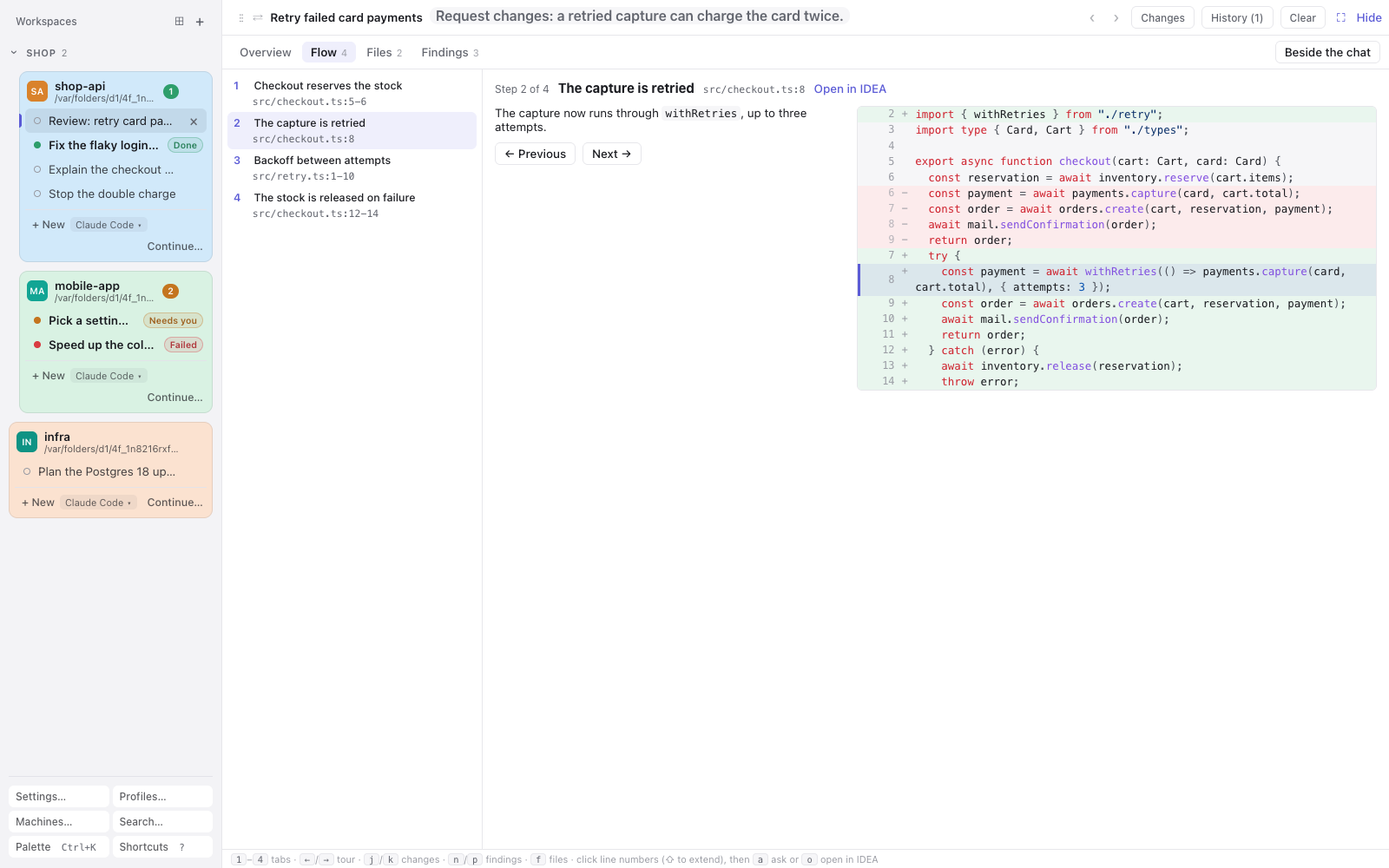
A walk through the code, in the order it runs.
How something works, or what the agent just changed: a short summary and steps through the code, each with its lines, and the changed ones marked. Ask about any lines, or open them in IntelliJ IDEA.
Review
A code review you can walk through.
The verdict and summary, a guided tour of the change, every diff, and findings pinned to their lines, each marked as confirmed or only suspected. Keep the findings you agree with, reword them, and post them to the GitHub pull request as your pending review.
And the rest of your day with an agent
Every change, even outside the project
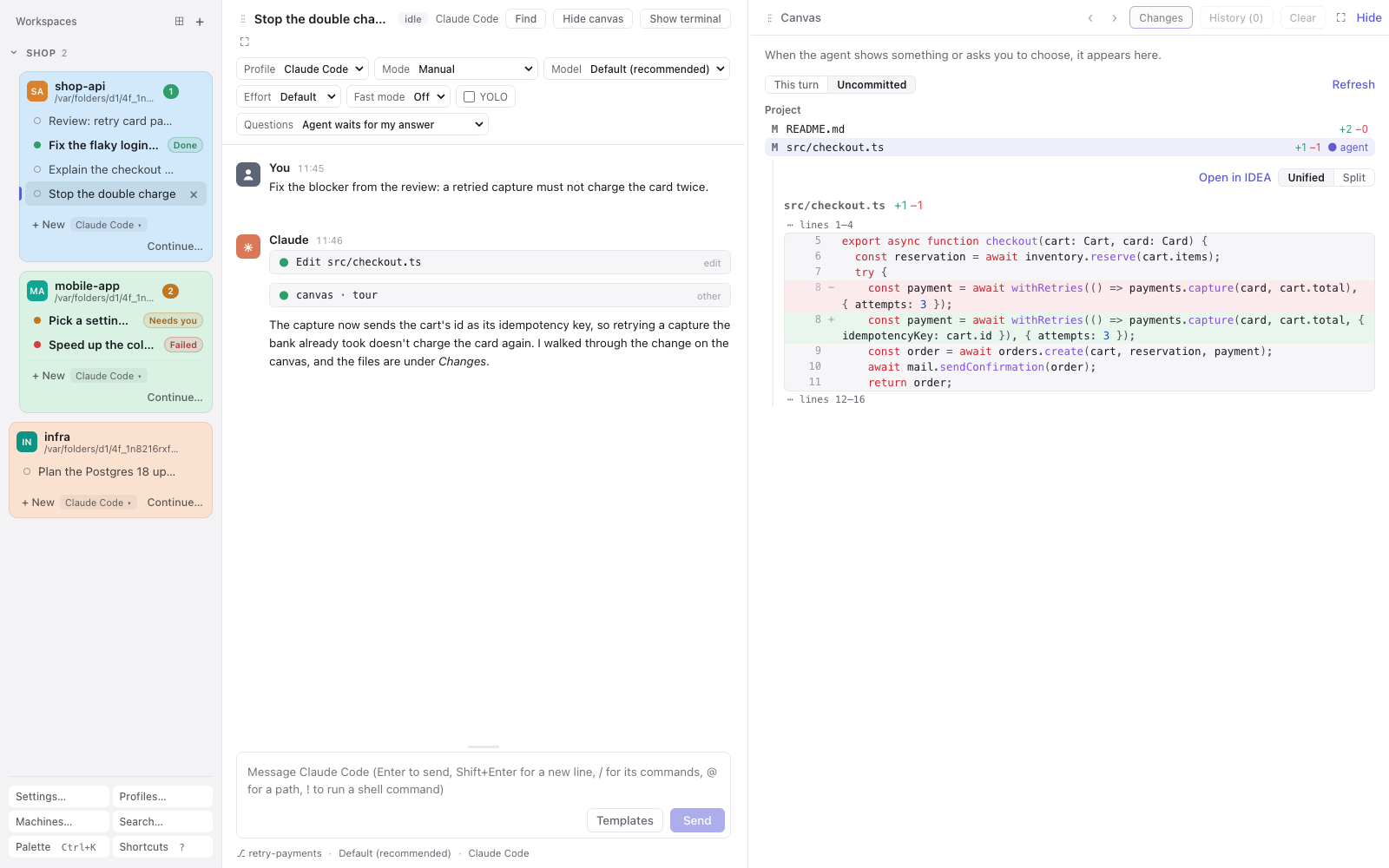
What this turn changed, or all uncommitted work, with each file's diff a click away.
A shell beside every conversation
Tabs and splits that keep running while you switch, and come back after a restart.
Approve each edit with its diff
A requested edit shows on the canvas, with the file's own line numbers, before you allow it.
See who needs you
Every project in one sidebar, marking the conversations that wait for you, are done or failed.
Your agent, your settings
The real agent with your hooks and MCP servers. Pick up sessions you started in a terminal.
Updates itself
New releases download quietly, and a banner offers to restart into them when you're ready.
Install
On a Mac with Apple Silicon, or on Linux (x64 or arm64), this downloads the app, installs it and starts it:
curl -fsSL https://github.com/sodre90/mirador/releases/latest/download/install.sh | sh
Or with Homebrew, on macOS and Linux:
brew install --cask sodre90/tap/mirador
The macOS app is signed and notarized by Apple. Linux needs a few system libraries, and the README lists them, along with installing by hand and running from source. Or download the files from the latest release.
Questions
What does it cost?
Nothing. Mirador is open source under the MIT license, with no account to create. You use your agent's own plan or API key, as you do now.
Which coding agents does it work with?
Claude Code and opencode today, through the Agent Client Protocol (ACP). More agents are coming.
Does my code leave my computer?
Mirador runs on your computer. Your agent talks to its model provider as it always does, and Mirador itself only asks GitHub whether a newer release is out. There is no telemetry.
Does it replace my terminal?
No. It runs the same agent with your settings, hooks and MCP servers, and it can continue a session you started in a terminal.
What about Windows and phones?
Windows is planned, and Android and iOS apps are coming.
 Mirador